Runs On-Premises, With Optional Cloud Services
Active Directory mode can operate entirely within your network for isolated or classified environments.
No External Connectivity Needed
External Connectivity for
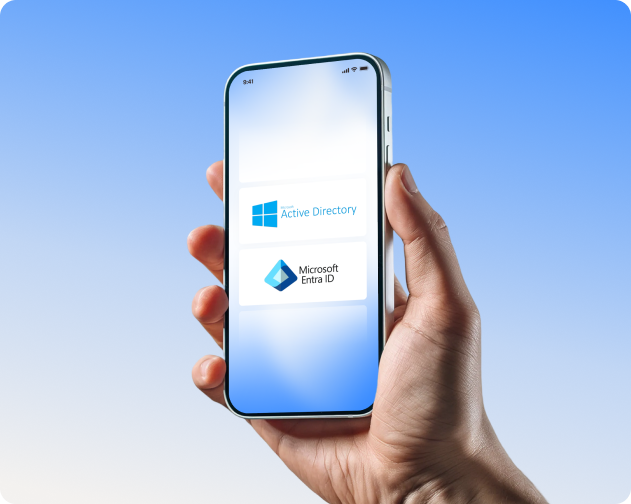
MyWorkDrive works with the identity infrastructure you already trust. Active Directory or Microsoft Entra ID. Users sign in the way they already sign in. MFA and access policies stay where you manage them. No password sync. No duplicate accounts. No new identity system to learn.
MyWorkDrive supports two identity modes, chosen at setup. Both deliver the same user experience across web, mapped drive, and mobile.
Your domain controllers authenticate users exactly as they do today. MyWorkDrive never sees or stores passwords.
What stays the same
What you can add
Users sign in with Microsoft credentials using native Entra ID authentication. No SAML configuration needed.
What stays the same
What you gain
For Active Directory mode, MyWorkDrive supports SAML 2.0 integration with the providers you already use.
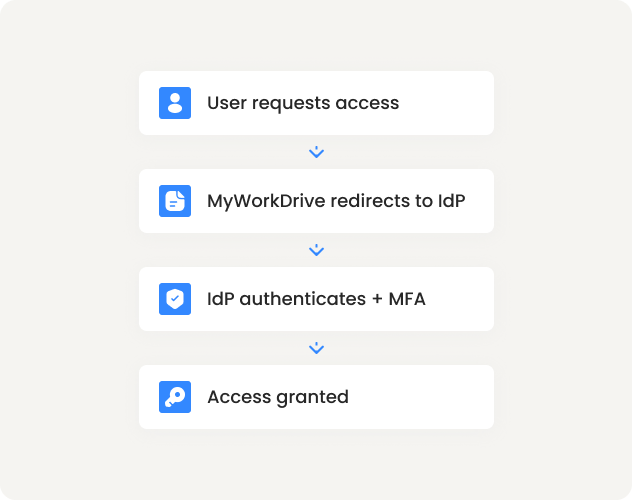
MyWorkDrive defers authentication to your identity provider. MFA and access policies stay where you already manage them.
One place to configure
Set MFA in Okta, Entra ID, Duo, or ADFS. Users experience those requirements across all MyWorkDrive clients.
Conditional Access honored
Your Entra ID policies apply to MyWorkDrive sign-in.
Correlated audit records
Authentication logs in your IdP. File access logs in MyWorkDrive. Two streams, one identity.
Partners and contractors need file access. MyWorkDrive integrates with Microsoft Entra B2B so external users authenticate with their own identity, governed by your policies.
Invite via
Entra ID
Guests receive an invitation
Authenticate with
their identity
Microsoft, Google, or federated
Your policies
apply
Including MFA and access reviews
Revocation
is immediate
Remove in Entra ID; access ends
What admins control
What guests experience
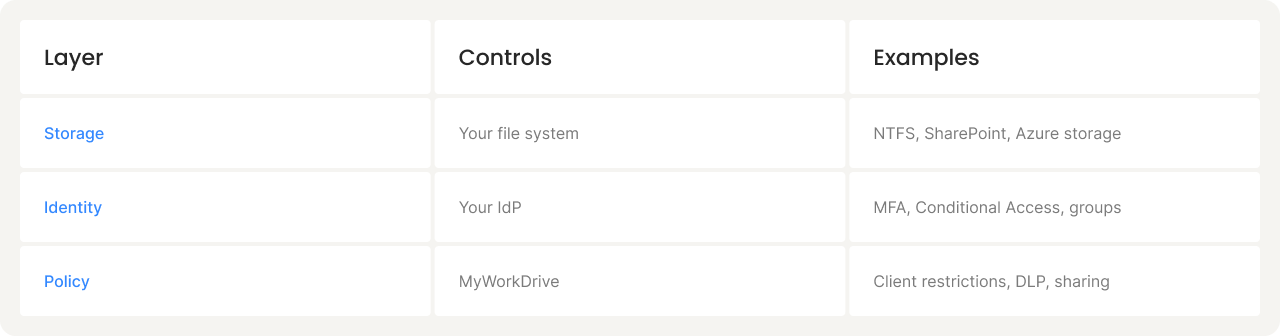
Your existing permissions remain authoritative. MyWorkDrive adds a policy layer that can restrict further.
Pre share
Client types, Office Online, public links, DLP restrictions
Per user / Per group
Mapped drive access, web-only restrictions, download blocking
NOTE: MyWorkDrive can restrict capabilities. It cannot grant access you have not already granted.
Device approval gives IT visibility into what's connecting and the ability to allowlist devices for mapped drive and mobile clients.
Monitor mode
See all devices, build your allowlist
Approval required
New devices request access
Per-client rules
Different policies for mapped drive vs. mobile
MyWorkDrive doesn't store passwords. No user database to sync, no credential store to secure.
Same sign-in as everything else
No password resets, no sync jobs
Disable an account; access stops. One lifecycle. Correlated audit trails.
Start a free 14-day trial. Configure SSO with your existing Entra ID, Okta, or ADFS