
Stay In Control Of File Access.
No VPN.
No Migration.
The secure gateway to file servers, SharePoint, OneDrive, Azure, and S3.


How Teams Use MyWorkDrive
01Migrating to SharePoint or Azure
02Replacing VPN for Remote File Access
03Extending File Server Access Off-Site
04Meeting Compliance Without Moving Data
05Reducing Microsoft Licensing Costs
06Mapping Cloud Storage as a Network Drive
File Access Should Not Be This Hard
There is a better way.
MyWorkDrive: Secure Access
to All Your Storage. From Anywhere.
MyWorkDrive connects to your existing storage, wherever it lives, and
gives users secure access from any device. Browser, mapped drive, or mobile app. No VPN tunnels. No file
migration. No new storage to manage.
Connect Any Storage Source
- Unified access across everything
- Existing permissions enforced
- One platform for IT to manage
Access From Any Device
- Web Client — any browser
- Mapped Drive — Windows & macOS
- Mobile Apps — iOS & Android
Security Without
Friction
- DLP controls & watermarking
- SSO & MFA with your IdP
- Unified audit logs for SIEM
Deploy In Hours. Not Months.

Install MyWorkDrive
Deploy on any Windows Server, on-premises
or in Azure. Lightweight installation with
no complex prerequisites.

Connect Your Identity
Integrate with Active Directory or Microsoft
Entra ID. Add SSO through Okta, Duo, ADFS,
or any SAML provider.

Connect Your Storage
Add Windows file shares, SharePoint, OneDrive, Azure
Files, Azure Blob, or S3. Existing permissions enforced
automatically.

Access From Anywhere
Users log in with existing credentials via web browser, mapped drive, or mobile app. No VPN. No training required.
Built For How You Actually Work
Unified Storage Access
Remote Access Without VPN
Regulated Industries

Managed Service Providers
The Difference Is Immediate
- VPN tickets dominate your helpdesk queue
- Users can't find files across systems
- Azure storage sits underutilized and too hard to access
- SharePoint migration stalled at 18 months
- No unified audit trail for compliance
- E3/E5 licenses for users who just need files
- M&A means months of integration work
- HTTPS access from any network, no VPN needed
- One interface for all storage systems
- Azure Files and Blob work like local shares
- Deploy in days while you plan (or skip) migration
- Unified logging across every repository
- Browser editing enables F3 for light users
- Present files from multiple forests immediately
How We Compare
Different approaches to remote file access. Here's how they stack up.| Criteria | MyWorkDrive | Traditional VPN | ZTNA | EFSS (Box, Dropbox) |
|---|---|---|---|---|
| Deployment time | Hours to days | Days to weeks | Weeks to months | Days (but requires migration) |
| Data migration | Not required | Not required | Not required | Required |
| Storage flexibility | SMB, Azure, SharePoint, S3 | Network access only | App-specific | Vendor storage only |
| User experience | Native (mapped drive, web, mobile) | Network tunnel | App-specific clients | Sync client required |
| Helpdesk impact | 60-75% fewer tickets | Baseline | Moderate reduction | Moderate reduction |
| DLP controls | Per-share, per-user | Network-level only | Varies | Platform-dependent |
Security That Satisfies Auditors
Built for regulated industries. HIPAA, CMMC, GDPR, FINRA, and more. We've got the controls you need.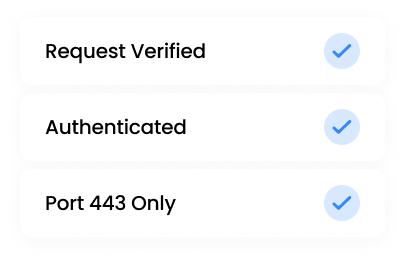
Single port 443. No SMB/NetBIOS exposure. Every request authenticated and authorized. Never trust, always verify.
Zero Trust Architecture
Single port 443. No SMB/NetBIOS exposure. Every request authenticated and authorized. Never trust, always verify.
Data Loss Prevention
Block downloads, add watermarks, restrict clipboard, require device approval. Configure per share, per user, or per group.
Unified Audit Logging
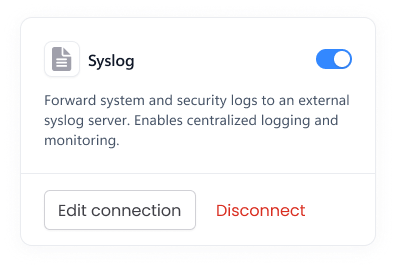
One audit trail across all connected storage. Export to your SIEM via Syslog. Complete visibility for compliance and forensics.
Data Sovereignty
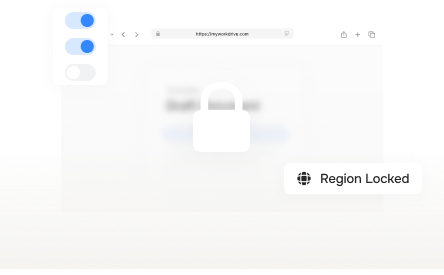
Self-hosted on your infrastructure. Files never transit third-party servers. Your data stays under your control, in your jurisdiction.
Identity Integration
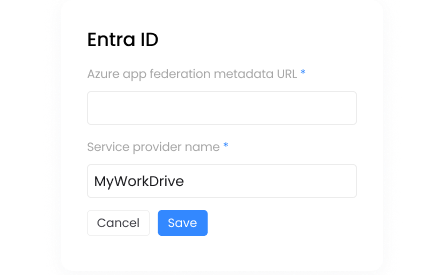
Your IdP stays in charge. Active Directory, Entra ID, SAML SSO. Conditional Access policies flow through. MFA via Duo, Okta, Ping.
Least Privilege Enforced
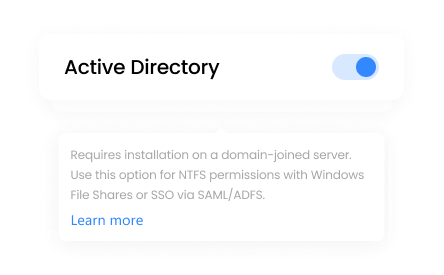
MyWorkDrive can only restrict access, never elevate. Users can't gain permissions through MyWorkDrive beyond what NTFS or tenant ACLs allow.
What IT Leaders Say

Very similar look and feel to SharePoint; intuitive upload/download of folders and files.
Initially thought there was no two factor option, but Duo and SAML are actually supported.
Simple Pricing.
No Storage Fees.

$5
- Unlimited storage connections
- Web, mapped drive, and mobile clients
- DLP and security controls
- SSO and MFA support

Frequently Asked Questions
What is MyWorkDrive?

MyWorkDrive is a secure remote file access solution that enables users to access and collaborate on files stored on both on-premises and cloud-based file servers without a VPN, syncing, or migrating data. It runs on your existing Windows infrastructure and integrates with Active Directory or Entra ID, providing secure access via web browser, mapped drive, or mobile apps. MyWorkDrive is not a hosted storage provider.
How does MyWorkDrive work?
MyWorkDrive installs on a Windows Server and connects to your existing file shares, whether on-premises or in the cloud. It provides secure, VPN-free access to those files through mapped drive, web browser, or mobile app clients. Users log in with their existing Active Directory or Entra ID credentials, and original file permissions are enforced. Files always stay on your servers and are never stored by MyWorkDrive.
What are the benefits of using MyWorkDrive?
MyWorkDrive makes secure remote file access simple and seamless, without the need for a VPN or file syncing. It enhances productivity with real-time collaboration through Office Online, while keeping files stored safely on your own servers. Built-in support for Active Directory or Entra ID, data leak prevention, two-factor authentication, and detailed audit logging ensure enterprise-grade security and compliance.
Is MyWorkDrive secure?
Yes. MyWorkDrive uses encrypted HTTPS connections, multi-factor authentication (MFA), and integrates with SSO providers to ensure secure access. It supports SHA-256 encryption for data in transit and at rest, enforces role-based permissions, and provides full audit logging. Advanced data leak prevention features block unauthorized downloads, sharing, and screen captures. MyWorkDrive helps organizations meet strict compliance requirements including GDPR, HIPAA, FINRA, CMMC, FEDRAMP, and FIPS while keeping all files securely stored on your own servers.
Can I access MyWorkDrive from anywhere?
Yes, MyWorkDrive is accessible from any location with an internet connection via the use of Mac and Windows desktop clients, iOS and Android apps, or any modern web browser.
When is MyWorkDrive a better alternative to sync & share solutions?
MyWorkDrive is the better choice whenever files need to stay on your existing servers instead of moving into third-party cloud storage. Sync-and-share tools like Dropbox and Box copy files into their own cloud and sync copies to every device, and they don't natively enforce Active Directory or NTFS permissions. MyWorkDrive instead gives remote and web access directly to files on your Windows file servers, NAS, S3, or Azure Files, using existing AD or Entra ID credentials and permissions. That makes it the stronger fit for compliance-driven, data residency-sensitive, or IT-governed environments where data can't leave company-owned infrastructure.
How is MyWorkDrive different from FileCloud, ownCloud, Nextcloud, and other similar tools?
MyWorkDrive gives direct access to existing SMB shares, Azure Files, S3,SharePoint, and OneDrive, with no separate storage repository to manage. FileCloud uses two modes, a managed storage repository plus an optional Network Folders add-on for direct SMB access, while ownCloud and Nextcloud store files in their own repository and typically require a self-hosted Linux stack (Apache or Nginx, MySQL/PostgreSQL, PHP) with ongoing patching. MyWorkDrive installs on Windows Server, enforces native NTFS and Active Directory or Entra ID permissions with no extra configuration, and includes commercial support standard rather than as a paid add-on.