
Box Alternative: MyWorkDrive vs Box for Secure File Access
Comparing MyWorkDrive vs Box? Your files never have to leave your servers.
Box is a cloud-only content platform: every file must be uploaded to the Box cloud, and folder permissions are rebuilt as Box collaboration roles. MyWorkDrive connects directly to your existing Windows file servers, Azure Files, Azure Blob, or S3-compatible storage. There is no migration and nothing to sync or re-permission. Your NTFS permissions and Active Directory stay authoritative, and users keep working exactly as before.
At $5/user/month or less with full support included, MyWorkDrive costs up to 80% less than Box business plans, which list at $15 to $50 per user per month with a 3-user minimum, and because files stay in place there is no migration project to fund on top of the subscription.
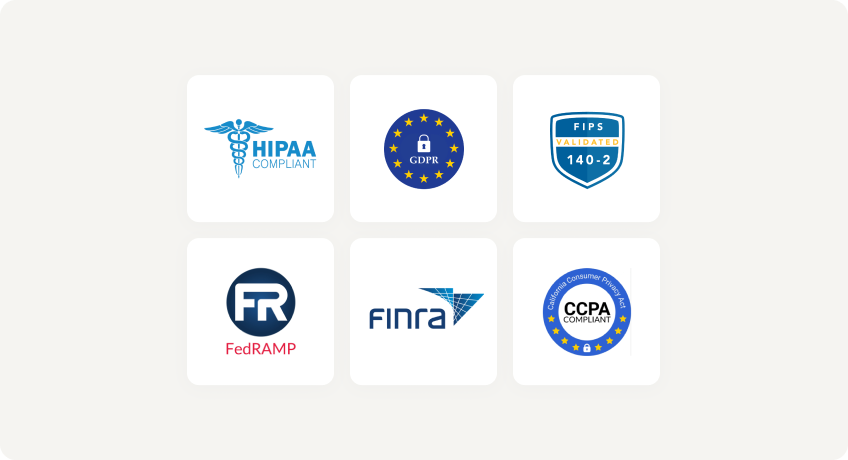
Trusted by Organizations Worldwide


MyWorkDrive vs Box: Quick Comparison
| Capability |
|
|
|---|---|---|
| Data migration required | No. Works in place with SMB/NTFS, Azure Files/Blob, or object storage you control | Yes. All content must be uploaded to the Box cloud before users can access it |
| Time to deploy | Minutes. Layers over storage you already run | Signup is quick, but uploading data and rebuilding folder permissions takes weeks for established file servers |
| Active Directory / Entra ID integration | Native. Live NTFS permissions enforced, no duplicate identity store | SSO and provisioning supported; NTFS permissions do not transfer and are rebuilt as Box collaboration roles |
| File locking | Native SMB locks for local and remote users, consistent with Windows workflows | App-layer lock/unlock on Box content only; no interoperability with on-prem SMB locks |
| Where files live | Your servers or your cloud tenant. Windows Server + IIS/.NET, no external database | Box cloud only; customer-managed keys (KeySafe) and data residency (Zones) are paid add-ons |
| File size limits | No plan-based caps; sizes are governed by your own storage | Upload caps by plan: 5GB (Business), 15GB (Business Plus), 50GB (Enterprise), 150GB (Enterprise Plus) |
| Compliance & security | Data never leaves your servers; DLP, view-only/no download, watermarking, SIEM integration included | Strong certifications, but data lives in the Box cloud; threat detection and classification require Enterprise tiers or the paid Shield add-on |
| Support | Full support included at no extra charge on every plan | Standard business support included; Premier Support costs extra, and 24-hour coverage requires Enterprise Plus |
| List price (per user / month) | $5 or lessactive users only, no migration cost | $15 to $50billed annually, 3-user minimum; add-ons extra |
Faster Setup, Lower Costs
No Migration Required
Deploy in minutes overlaying your existing SMB/NTFS shares or Azure Files/Blob. Nothing is uploaded to a vendor cloud, and users see no disruption or permission changes.
Native AD and Entra ID
Live NTFS enforcement with no fragile sync jobs or permission drift. Access-Based Enumeration behavior is preserved.
Lower Cost of Ownership
$5/user/month or less with zero migration spend and reduced infrastructure overhead. Full service support is included, with no 3-user minimum and no paid support tiers.
Why Choose MyWorkDrive Over Box?
Where do files live?

- MyWorkDrive: Files remain in place on your servers or your cloud storage. No external databases or vendor storage required, so you keep full data sovereignty.
- Box: Cloud-only. All content is stored in the Box cloud. Customer-managed encryption keys (Box KeySafe) and regional data residency (Box Zones) are paid add-ons on every plan.
How are identity and permissions handled?
- MyWorkDrive: Uses your existing Active Directory/Entra ID directly. NTFS ACLs are authoritative and enforced live, with no duplicate identity store to sync.
- Box: Supports SSO and user provisioning from AD or Entra ID, but NTFS permissions do not transfer. Folder access must be rebuilt using Box collaboration roles, and organization-wide two-factor enforcement requires an Enterprise plan.
How are locking and co-authoring handled?
- MyWorkDrive: Native SMB locking interoperates with on-prem workflows, plus Office co-authoring via Microsoft 365 or OnlyOffice without moving data.
- Box: Manual lock/unlock at the application layer on Box-hosted content, with co-editing through Microsoft 365 and Google Workspace integrations. Box locks have no interoperability with SMB locks on file servers.
What's the endpoint and performance impact?
- MyWorkDrive: Files stream over HTTPS to a mapped drive or web client for secure file sharing with minimal endpoint data sprawl. There are no bulk sync folders to seed or reconcile.
- Box: Box Drive streams files on demand with local caching, and content marked for offline use is copied to endpoints. Cached and offline copies expand the data footprint your DLP and backup tooling must account for.
What must you deploy and maintain?
- MyWorkDrive: Windows Server + IIS. No external database to patch or back up, and you keep your existing backup and DR regime.
- Box: Fully managed SaaS with no servers to run, but retention, archiving, and recovery depend on your plan. Version history is capped at 50 versions on Business and Business Plus and 100 on Enterprise; unlimited versions require Enterprise Plus.
Security You Can Prove
With MyWorkDrive, authentication and authorization stay anchored in your directory and your NTFS permissions. There are no vendor keys to rotate for at-rest copies you don't control, and no third-party repository to certify, making attestations simpler for regulated workloads.
Data Loss Prevention

(Block downloads, disable copy/paste, watermarking, device approvals)
Learn more
What our users are saying
 Industry-leading secure remote file access solution
We have determined that MyWorkDrive software is essential to the Government’s requirements and market research indicates that other companies’ similar products do not meet or cannot be modified to meet the agency’s needs.
We conducted annual market research in January 2025 by comparing two competitors, ShareFile and Dropbox.
However, neither of these companies provides us with the necessary capabilities required to allow us to utilize the existing infrastructure, maintain stringent control over their data, and integrate with current enterprise security and authentication protocols.
These companies software do not provide real-time collaboration capabilities, does not eliminate Virtual Private Network (VPN) security risks nor prevent lateral network access.
Due to the inabilities noted, we have determined that MyWorkDrive software is essential to the Government’s requirements and market research indicates that other companies’ similar products do not meet or cannot be modified to meet the agency’s needs.
MyWorkDrive is the most network secure compatible software application capable of eliminating VPN security risks and preventing lateral network access…
…Therefore, it is in the Government’s best interest to procure MyWorkDrive software.
Undisclosed Government Agency

See More Reviews




See the MyWorkDrive Advantage for Yourself
Book a personalized demo or start your free trial today